
 Useful tips
There are plenty of reasons why you might want to find someone from a photo.
Sometimes you need to check whether the person who sent the friend request is real or fake, or learn more about the person who asked you out.
Facial recognition systems, along with surveillance cameras and online profiles, make it possible to find people and monitor their every move.
Also read: 10 disgusting things guys do online
With reverse image search, you can find more information about anyone. For example, if you need to find a person's email but it's not mentioned on their page, you might find it on another site, as many people use the same photo for theirs profiles on various social networks.
Here are a few services that will help you find a person by photo.
How to find a person from a photo for free
1. Google Images
Google will try to find other copies of your image online and will also provide visually similar images. This will help you determine where the photo comes from and possibly find more photos of the same person.
You can search from photos saved on your computer or by using the image URL.
To find the image address, right-click and select “Copy image address”
To save an image to your computer, right-click and select Save Image.
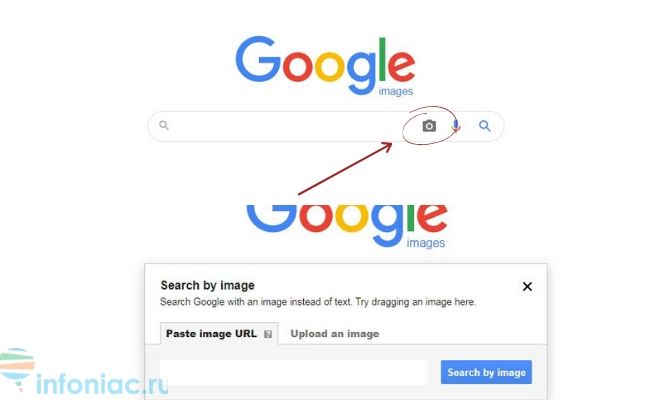
The search is very easy to perform:
Go to
images.google.com, click on the camera icon,
Upload a photo or paste the photo URL and click search.
If you're using the Chrome browser, you can right click on a photo and select “Find a picture (Google)” and you'll see the results in a new tab.
2. Yandex
Yandex is one of the best reverse image search engines, recognizing faces, landscapes and objects.
It relies heavily on user-generated content, such as travel review sites or social media and dating sites, to produce fairly accurate results.
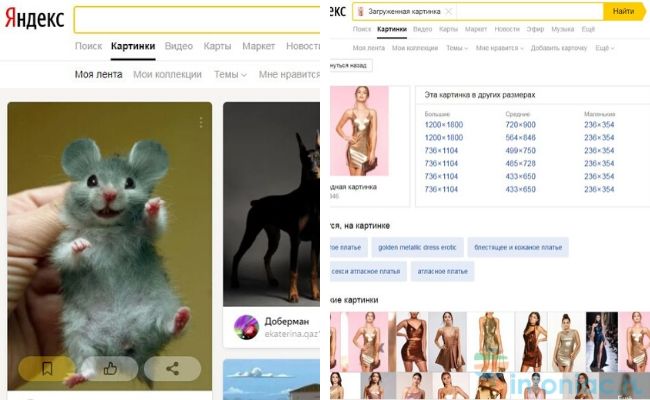
Go to
images.yandex.com, then select the camera icon on the right.
You can either upload a saved image or enter the photo URL.
After you have searched, you can see “similar pictures” and “more similar”.
Yandex will search not only for photos that look like the one with a face, but also other photos of the same person in different lighting, background colors and position.
As a result, you will get options for the size of this image, similar images, and sites where your image appears.
3. PicTriev
This system goes one step further in finding similar faces. Unfortunately, the service is limited to similar celebrities.
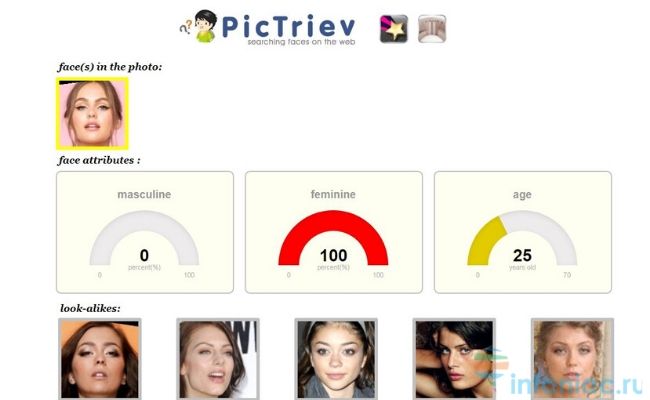
You need to add a URL or upload a JPG or JPEG photo no larger than 200 KB in size, and the search engine will return a matching celebrity photo found online.
PicTriev also allows you to compare the similarity of two faces or determine whether photos of two faces belong to the same person. Click the instrument icon on the upper right side, upload two photos, select similarity or identity, and the software will do the calculations.
Before adding photos, follow the instructions to get the most accurate results.
How to find a person from a photo online
4. TinEye
TinEye's reverse image search works almost like Google. The site adds millions of new images from the web every day, providing quite extensive results.
You can upload a photo or paste the image address and start searching. TinEye does not support other search operators, making it easier.
As with other systems, TinEye displays all sites where the image was found.
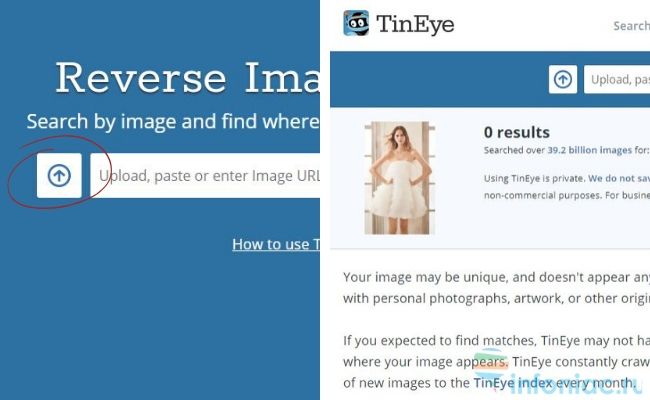
Go to
https://www.tineye.com
Click the arrow icon on the left side of the search bar to upload a photo from your computer or mobile device.
To search for a page address, copy and paste it into the search bar.
You can also drag and drop the image into the TinEye search bar
In the results, you'll get how many times the image appears online, as well as links to sites where it was found.
5. PimEyes
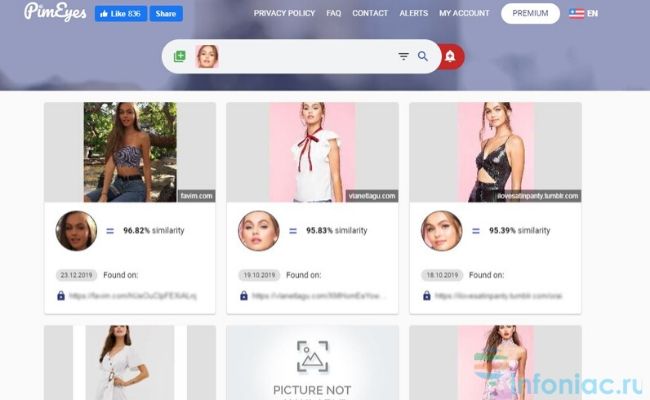
Just like Google's reverse image search, PimEyes uses photos and facial recognition to find similar faces on more than 10 million sites.
For example, you can search for Jennifer Aniston's face using 4 different photos at once. PimEyes will find original photos as well as other Aniston shots.
Interestingly, while the app finds the original photo used for the search, similarity isn't always close to 100 percent.
The service is paid, but given the questionable results, it is better to use other programs.
6. Betaface
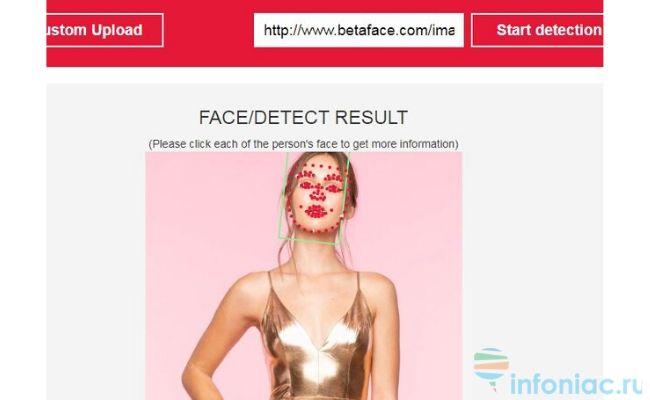
Betaface offers a facial recognition search engine similar to the one on PicTriev. You upload an image or submit an image URL, and the search engine highlights all the faces it can find in the photo.
Then you compare faces (with other uploaded images), you can search for celebrities or Wikipedia for each face you find. The results will appear in the match table.
This tool is very useful for uploading and comparing large amounts of photos.
In addition to classifying faces based on more than 100 facial characteristics, you can also include advanced geometric and color measurements, as well as the “best face” feature. Both of these will slow down processing but will improve the quality of your matches.
7. FindFace

A new service for finding people by photo on the social network VKontakte was launched in 2016. It made it possible to find a person's page by comparing photos with photos on a social network page and finding out their identity with an accuracy of 60-70 percent.
You could take a picture of a random person on the street, upload it to the app and find his Vkontakte page.
Read also: Facial recognition software allows you to find anyone online by taking a picture of them
However, since September 2018, this service has stopped working.
8. Find Clone

This service, similar to FindFace, was opened in 2019 and helps you search for people by photo on the social network VKontakte.
You need a phone number to sign up and create an account with FindClone, which provides around 30 free requests in a given number of days.
After that, you can upload a photo and start searching. As a result, you will receive a page of a person with a photo, as well as people similar to him.